Screenshots

See it before you install it

Real screens from HMS Spa. Click an image to enlarge it and use the arrows to move between screens.

Two surfaces, one set of data

HMS Spa is used on two surfaces: the web panel opened in a browser and the iOS/Android mobile app. Both are tied to the same account and the same data; an appointment opened on the computer at reception appears instantly on the owner's phone. The images below are the product's real screens, captured with sample business data in the language you are visiting in. Under each screen there is a short note on what it is for. Use the tabs to switch between the web panel and the mobile app, and click an image to enlarge it.

The web panel is the centre of the business: the left menu lists overview, calendar, appointments, customers, reviews, store, packages, tabs, finance, staff, reports and settings. On a large screen there are table views, filters and Excel/PDF export; businesses with several branches work by selecting the branch on every screen.

  • HMS Spa web panel — Login screen
    Login screen Sign in with e-mail and password. Language and day/night mode are chosen before signing in; password reset and new-account links are on the same screen. Once your account is open you reach this screen at app.hmsspa.com.
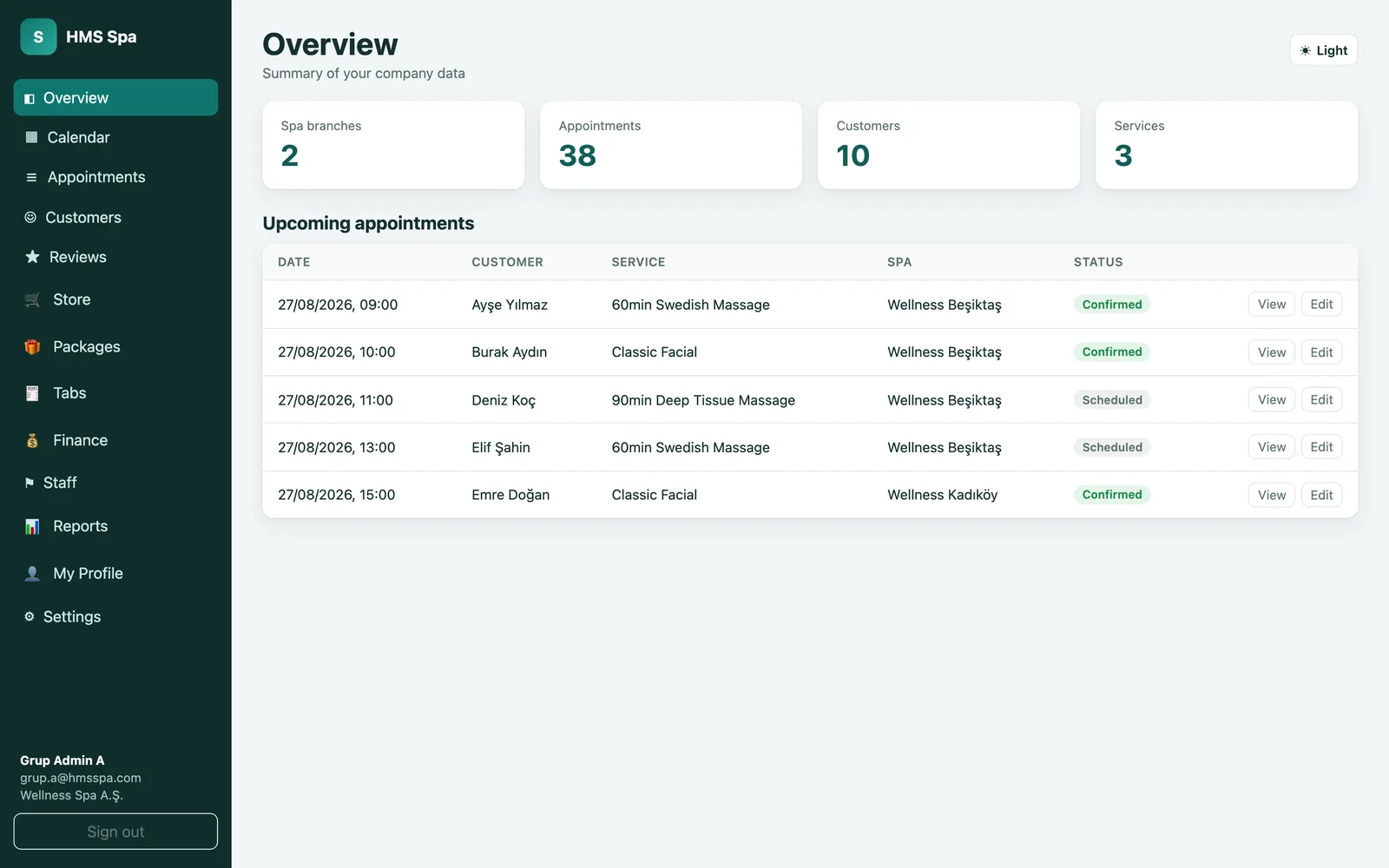
  • HMS Spa web panel — Overview
    Overview The first screen after signing in. It summarises the number of branches, appointments, customers and services and lists the upcoming appointments with date, customer, service, branch and status. Each row lets you view and edit the appointment.
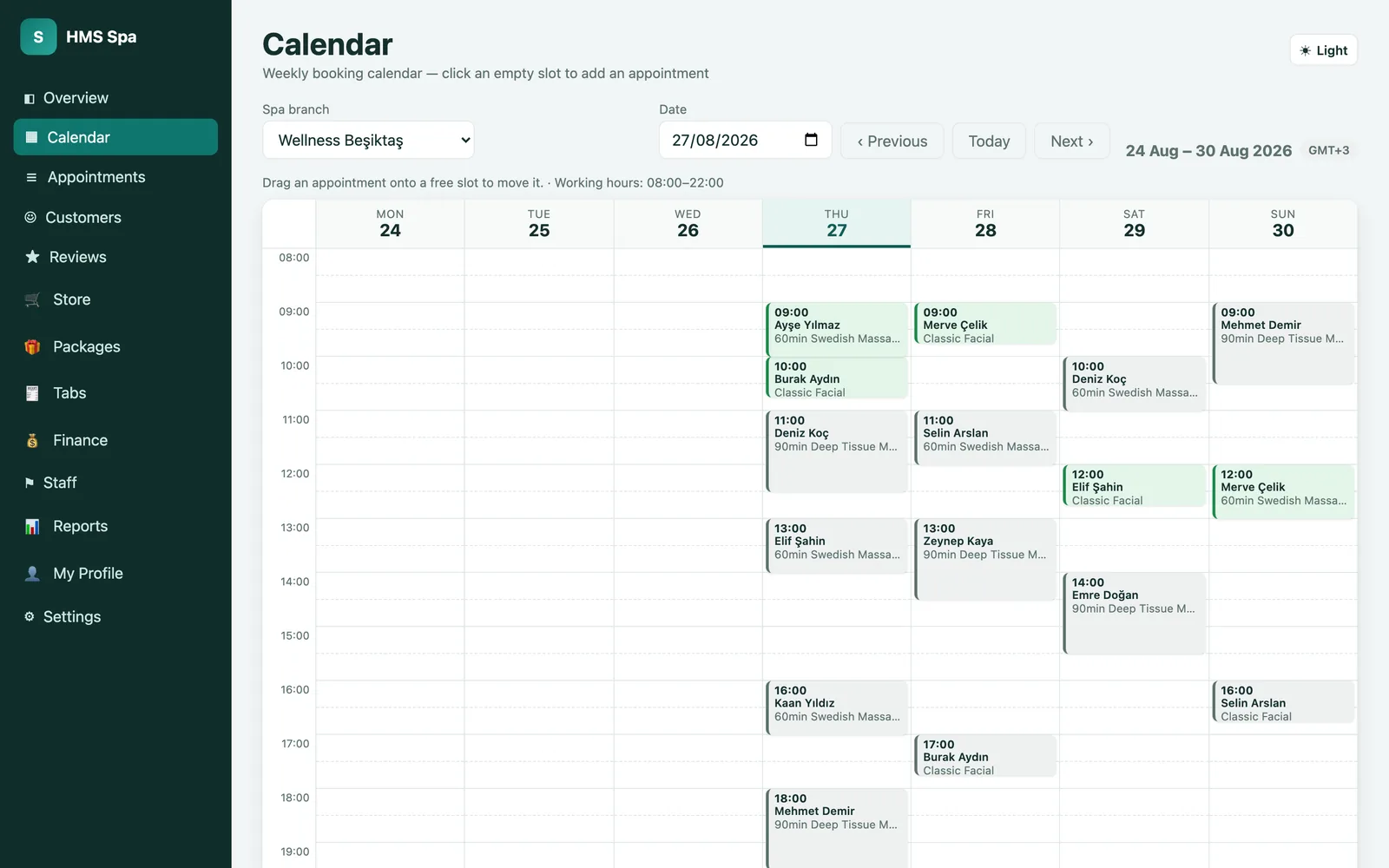
  • HMS Spa web panel — Calendar
    Calendar The weekly booking calendar. Choose the branch and date; click an empty slot to add an appointment, drag an appointment to move it to another time. Areas outside working hours appear closed; the time zone is set per branch.
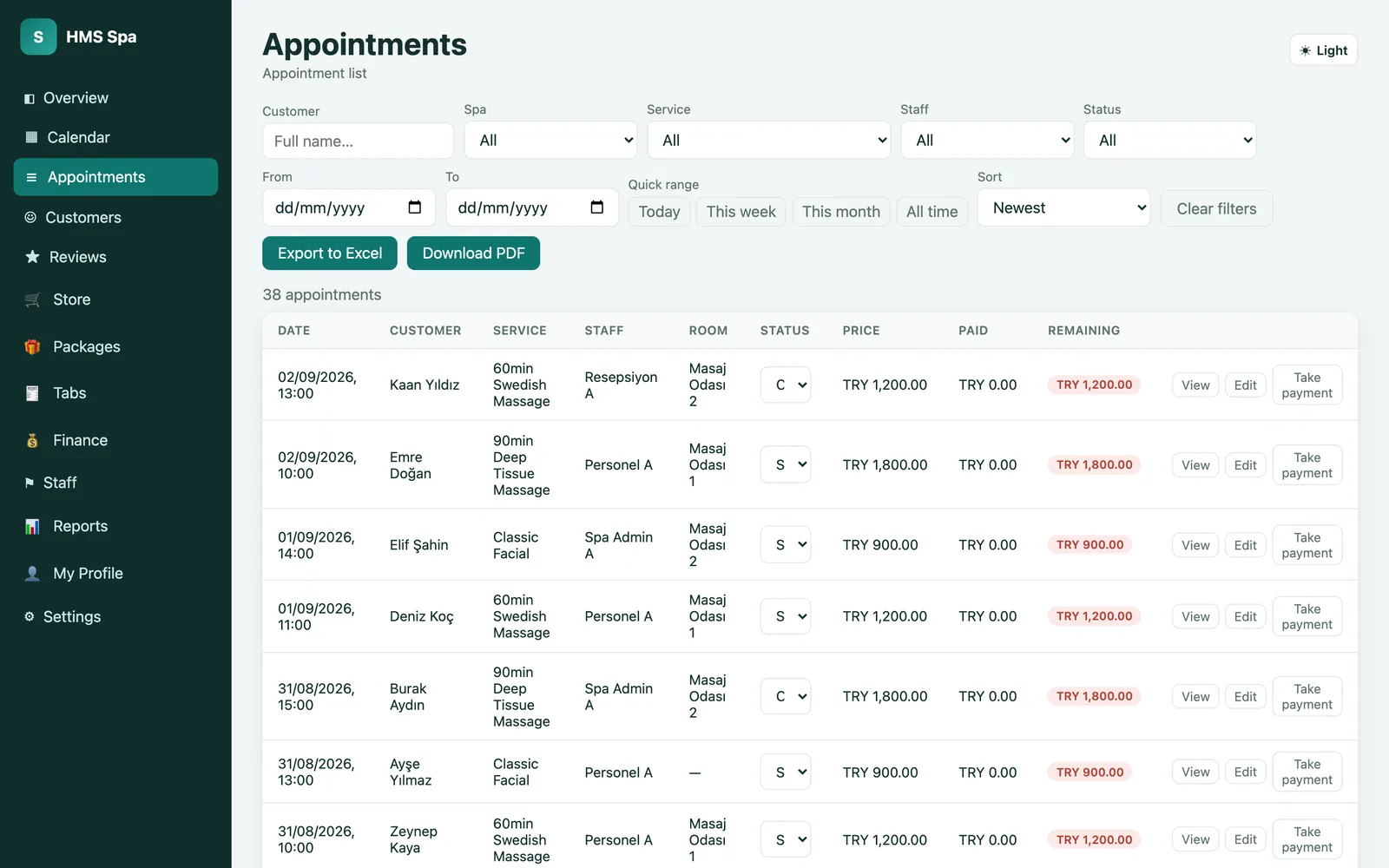
  • HMS Spa web panel — Appointments
    Appointments A filterable list of all appointments: customer, branch, service, staff, status and date range. Each row shows room, price, amount paid and outstanding; the status is changed from the row and payment is taken from the same place. The list exports to Excel or PDF.
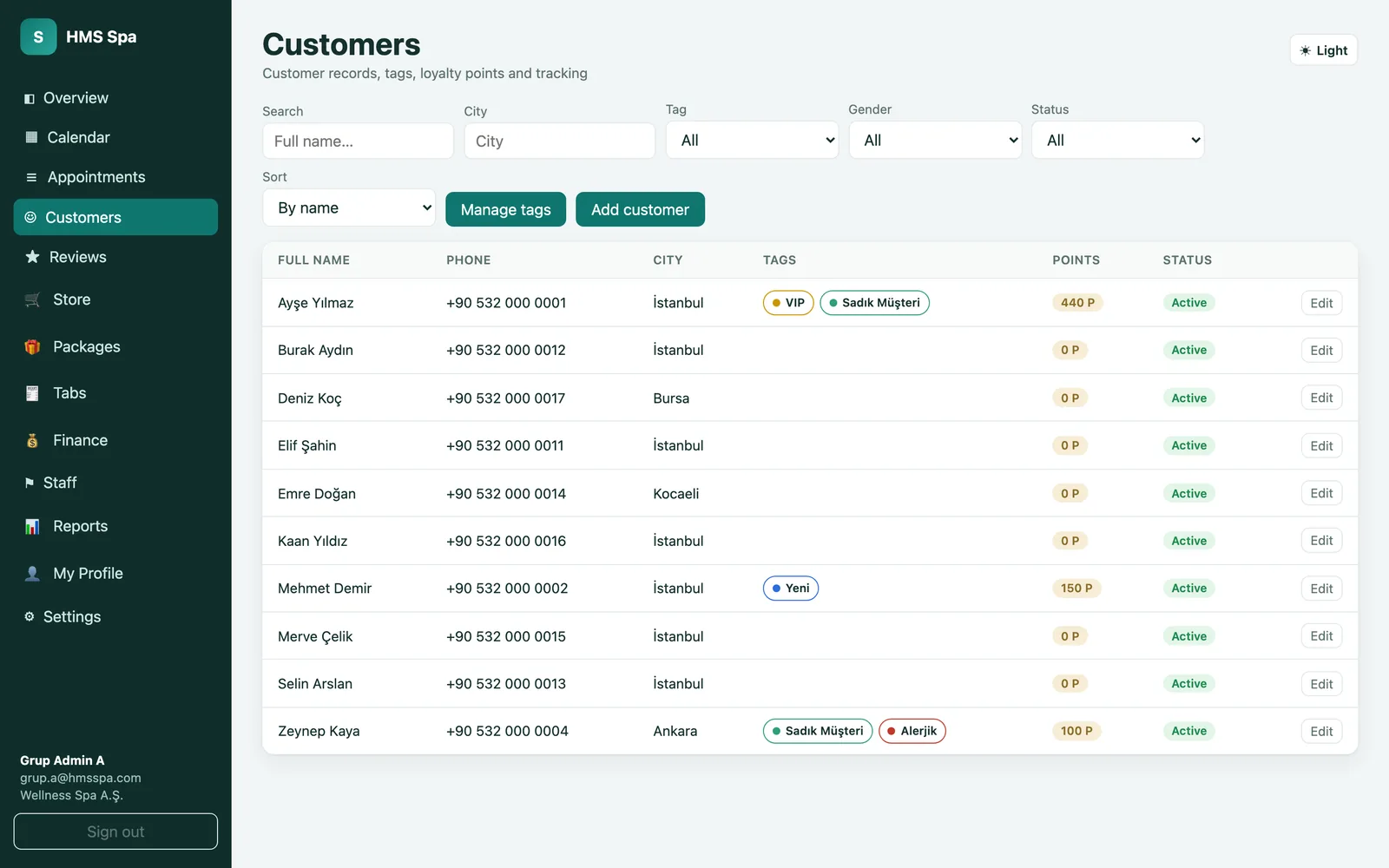
  • HMS Spa web panel — Customers
    Customers Customer records, filtered by name, city, tag, gender and status. Tags (VIP, loyal customer, allergy and so on) appear on the row, with the loyalty-point balance and status side by side. Tags are managed here and new customers are added here.
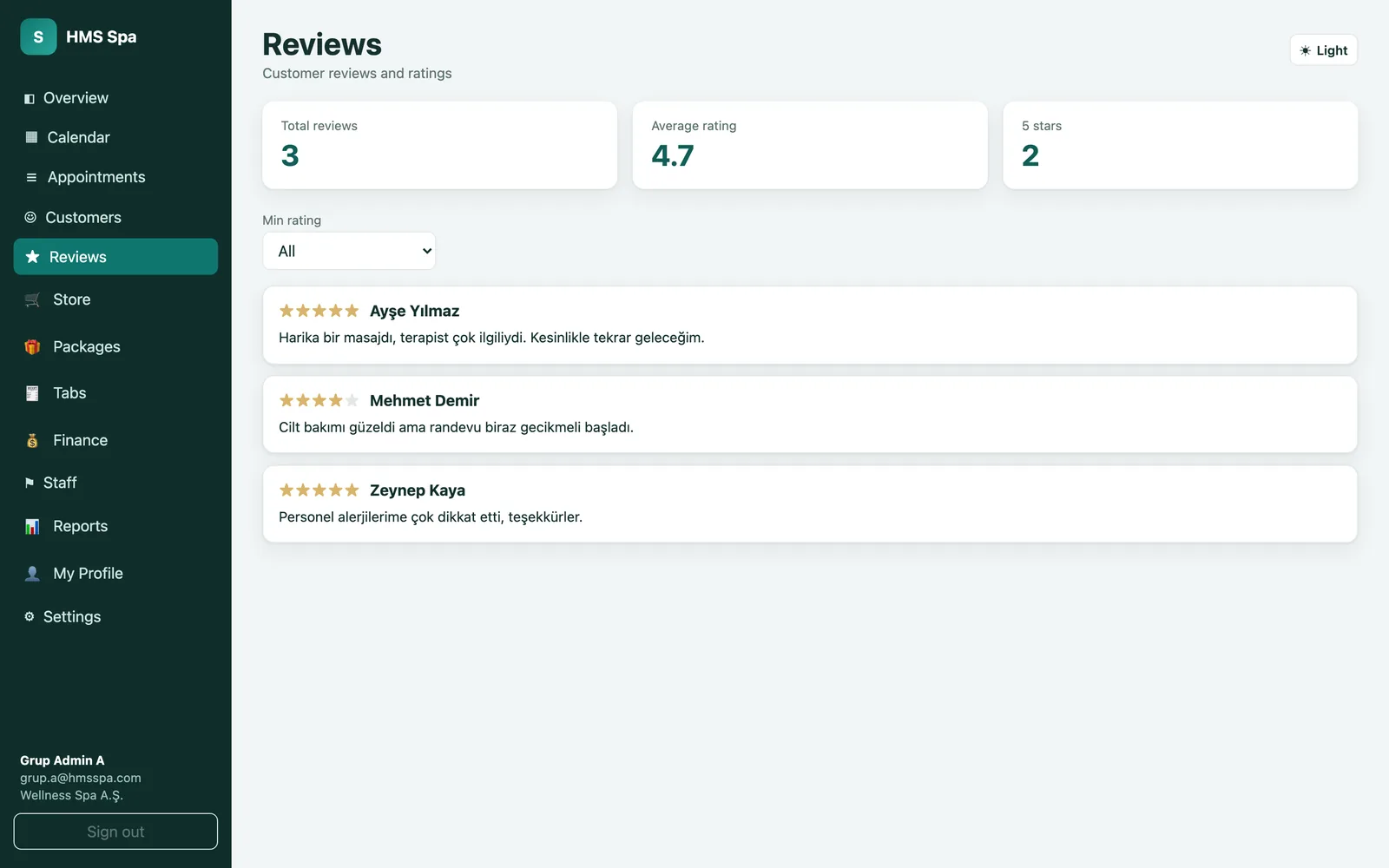
  • HMS Spa web panel — Reviews
    Reviews Reviews collected from customers on one screen: total reviews, average score and the number of five-star ratings are summarised at the top; each review is listed with its stars and text. Filtering by minimum score lets you handle low-scoring feedback first.
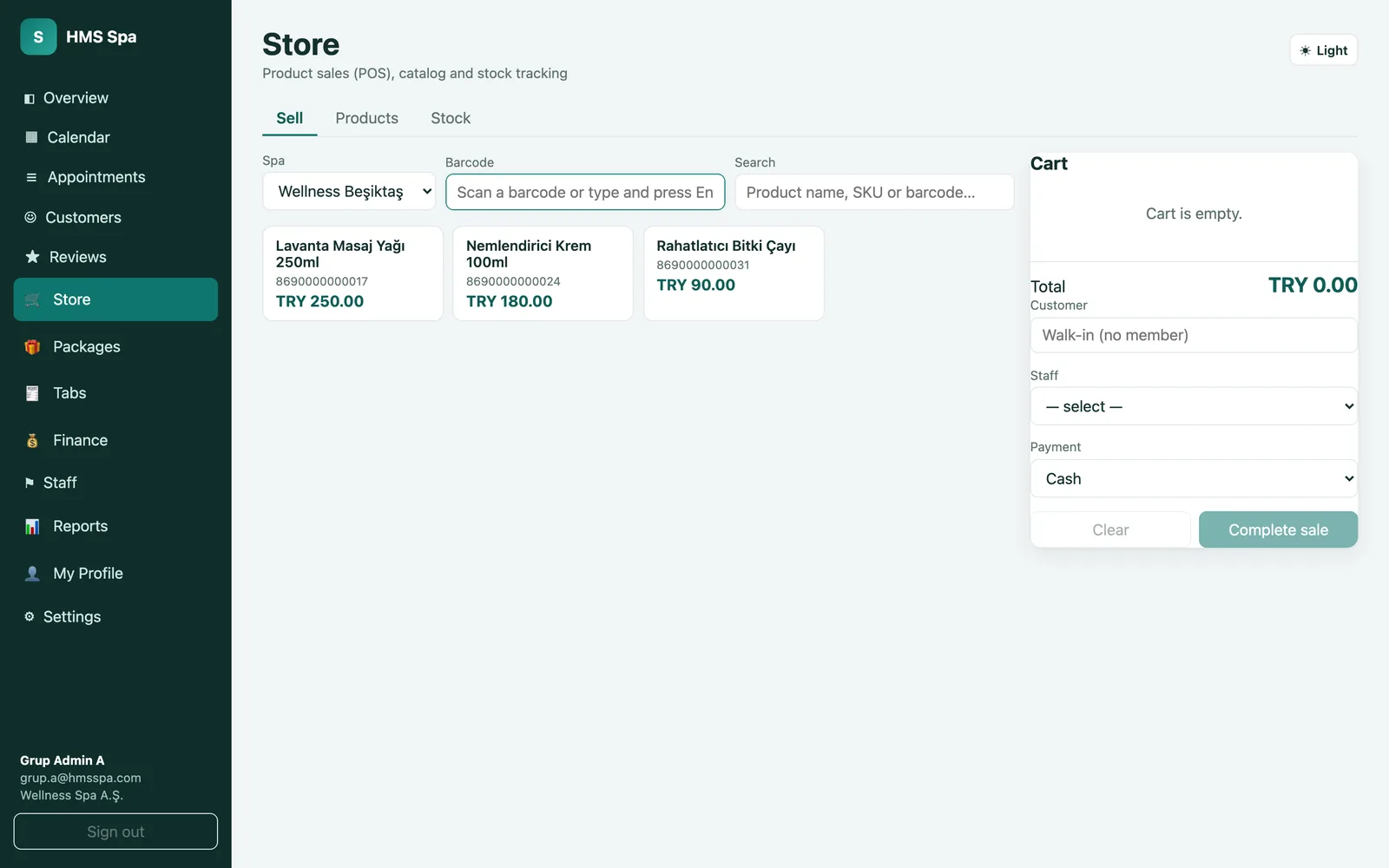
  • HMS Spa web panel — Store (POS)
    Store (POS) The product sales screen. Scan a barcode or search by name/SKU; the product drops into the basket, customer and staff are selected, and the sale is completed by cash or card. The Products and Stock tabs keep the catalogue and stock tracking in the same place.
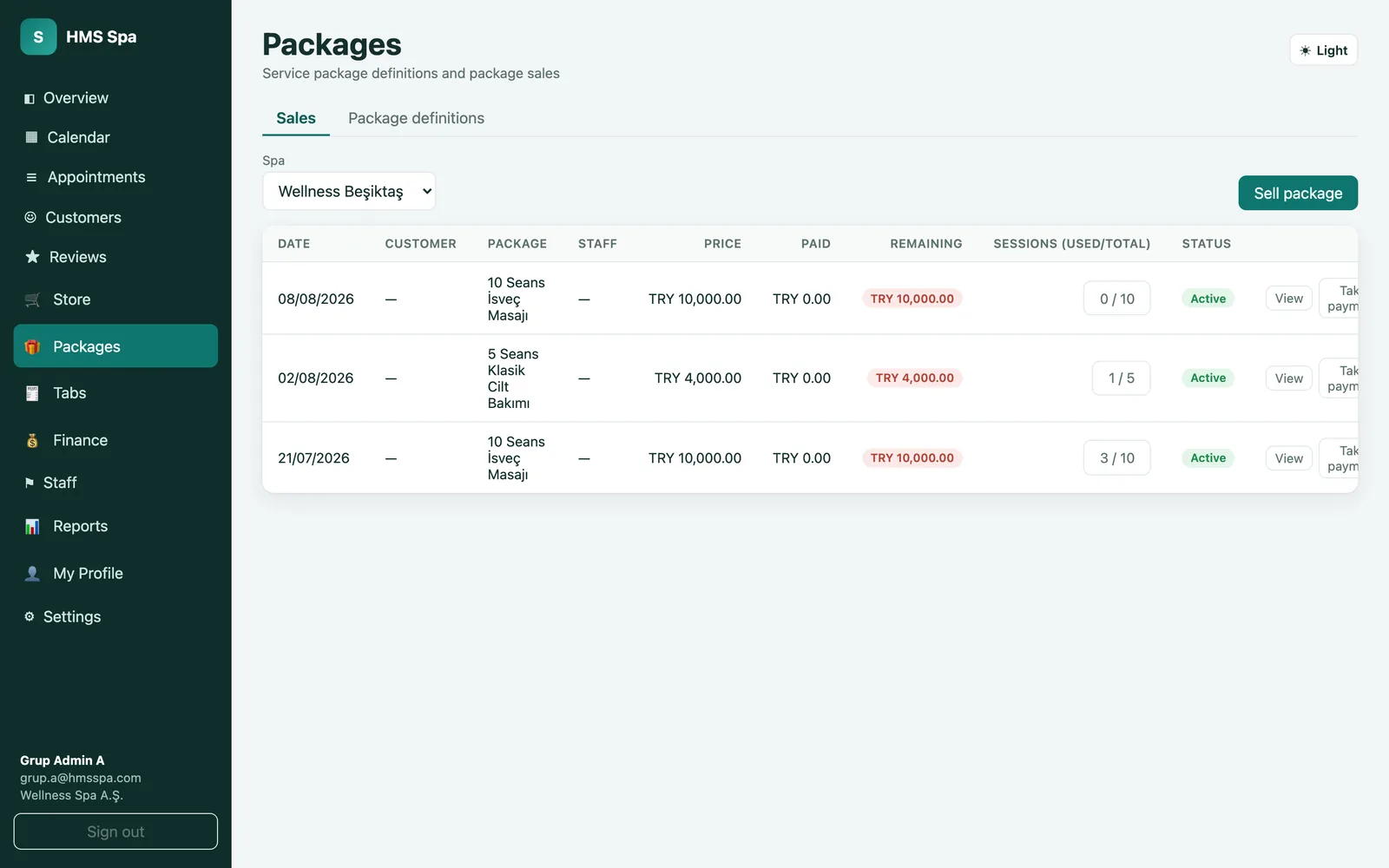
  • HMS Spa web panel — Packages
    Packages Sales and tracking of session-based and minute-based packages. Each row shows the package, price, amount paid and outstanding, and used/total sessions. New packages are created on the Package definitions tab; payment is taken from the row.
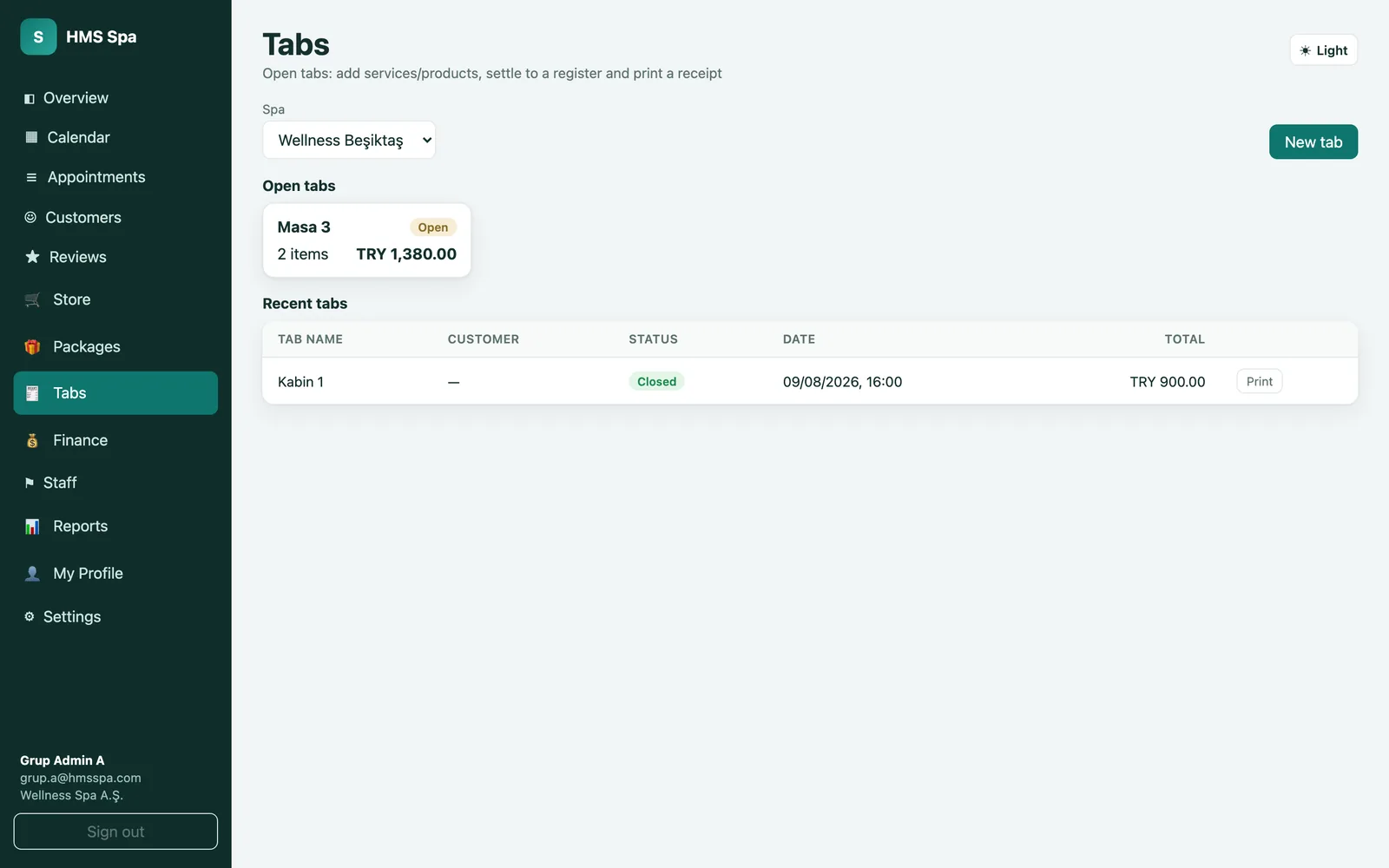
  • HMS Spa web panel — Open tabs
    Open tabs Accounts not yet closed to the register. Services and products are added to tabs opened under a table or cabin name; closed tabs are listed with their total and the receipt can be reprinted.
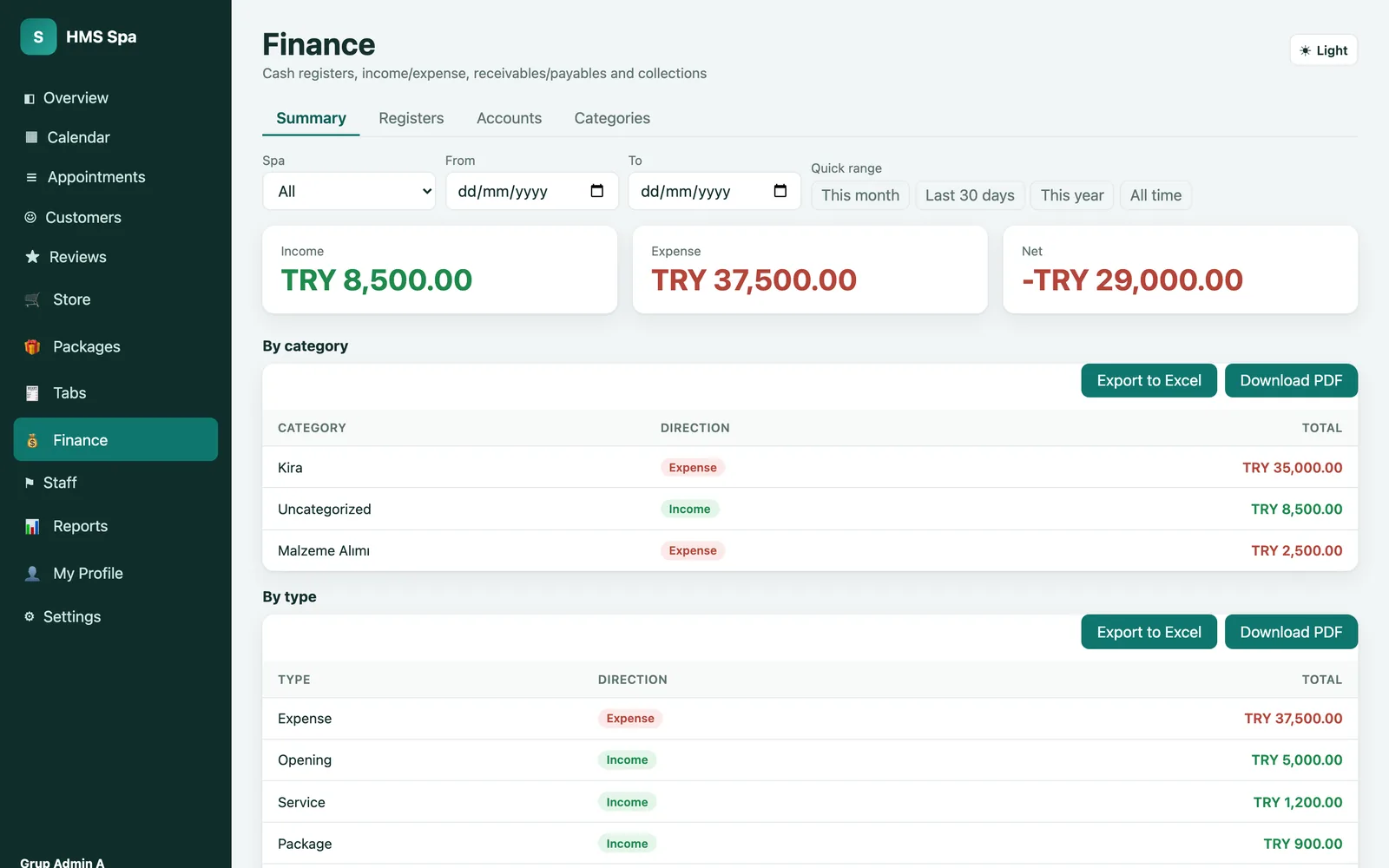
  • HMS Spa web panel — Finance
    Finance Income, expenses and net, filtered by branch and date range. The summary is broken down by categories such as rent and materials and by types such as service, package and sales. Register, accounts and categories are on separate tabs; tables download as Excel and PDF.
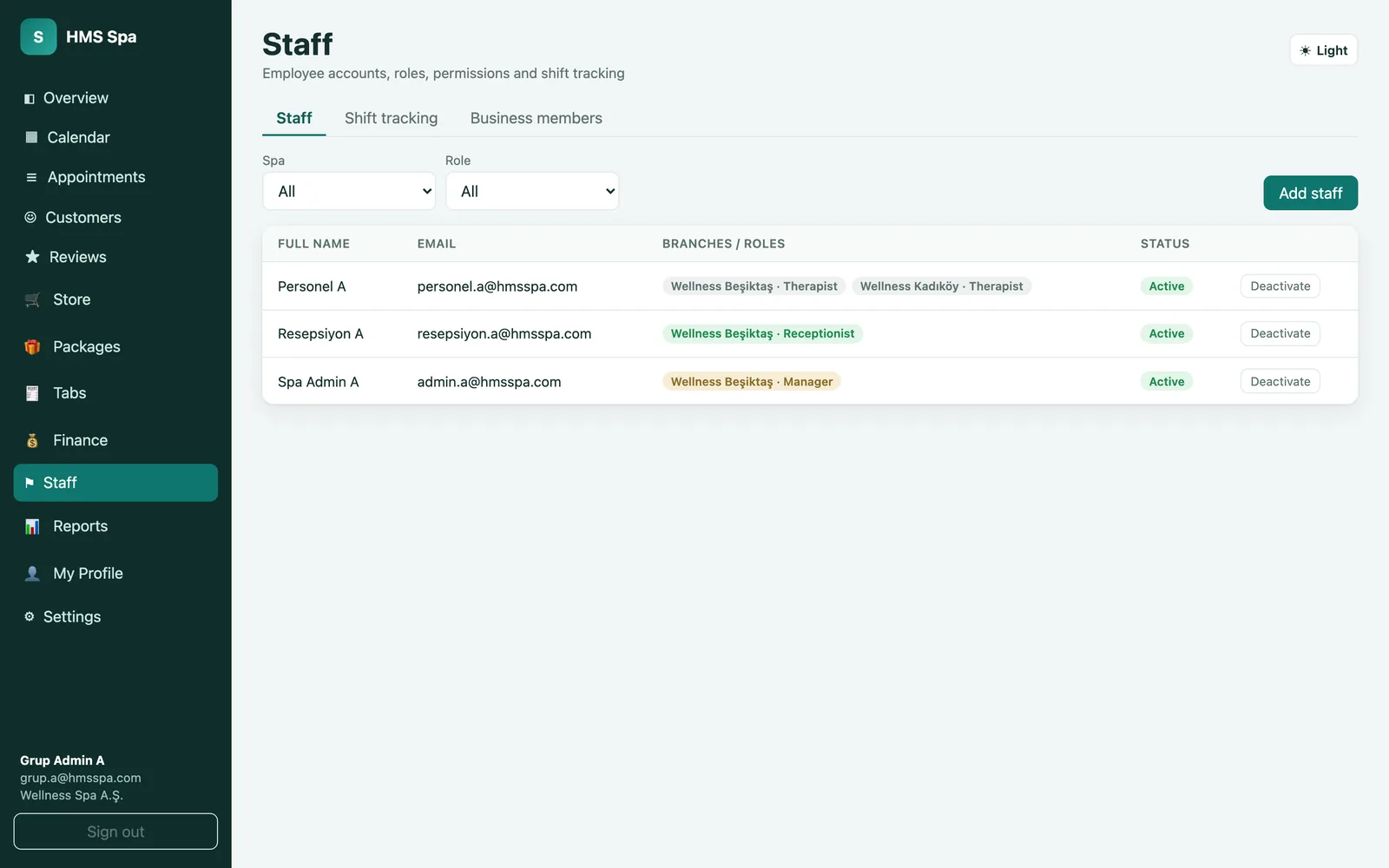
  • HMS Spa web panel — Staff
    Staff Staff accounts and permissions. Each employee's branch and role (manager, reception, therapist) appear on the row; an account is deactivated with one click. Shift tracking and business members are on separate tabs.
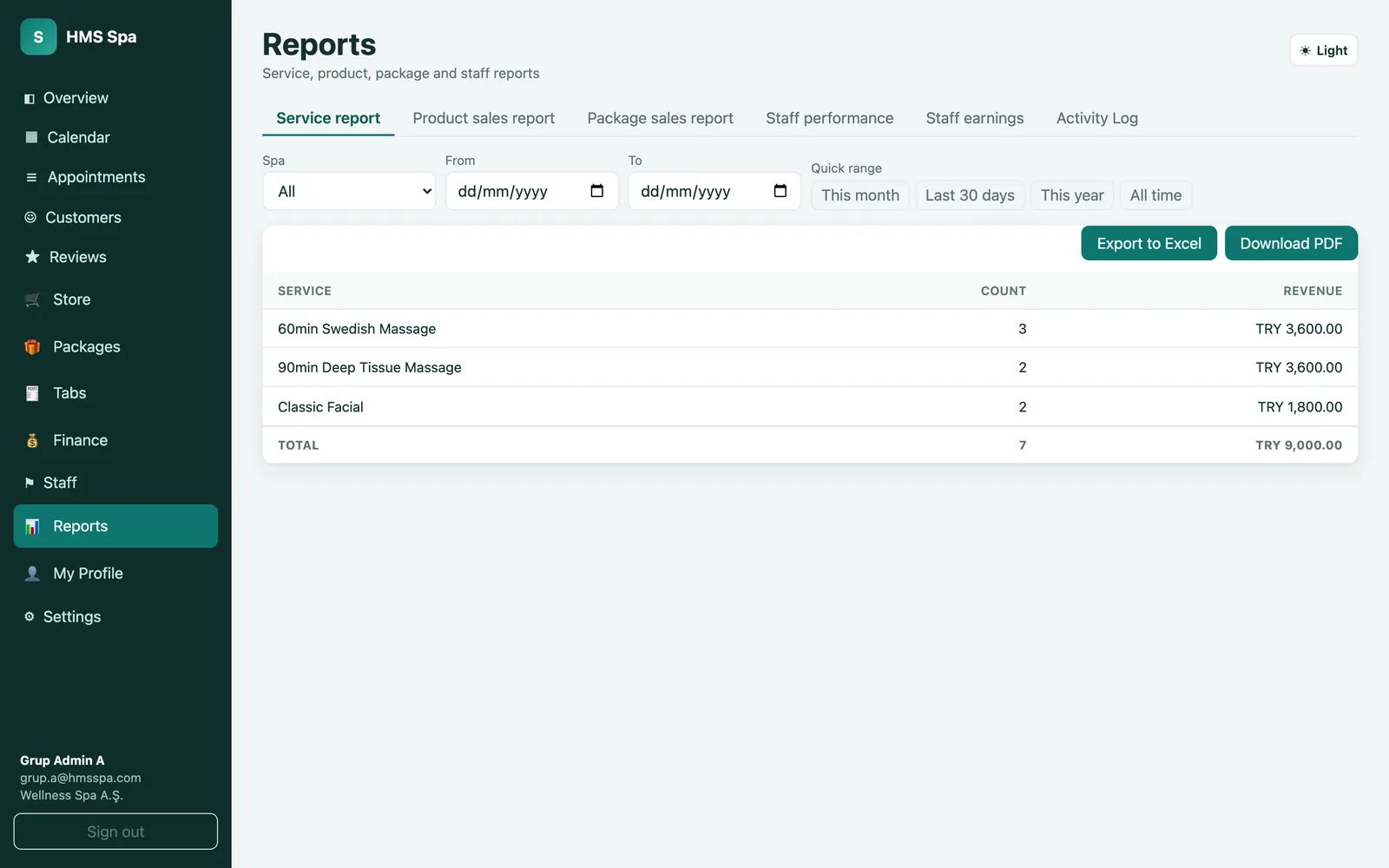
  • HMS Spa web panel — Reports
    Reports Service, product sales, package sales, staff performance and staff earnings reports, plus the activity log. Choose the branch and period; each row shows count and revenue, the bottom row the total. All reports export to Excel and PDF.
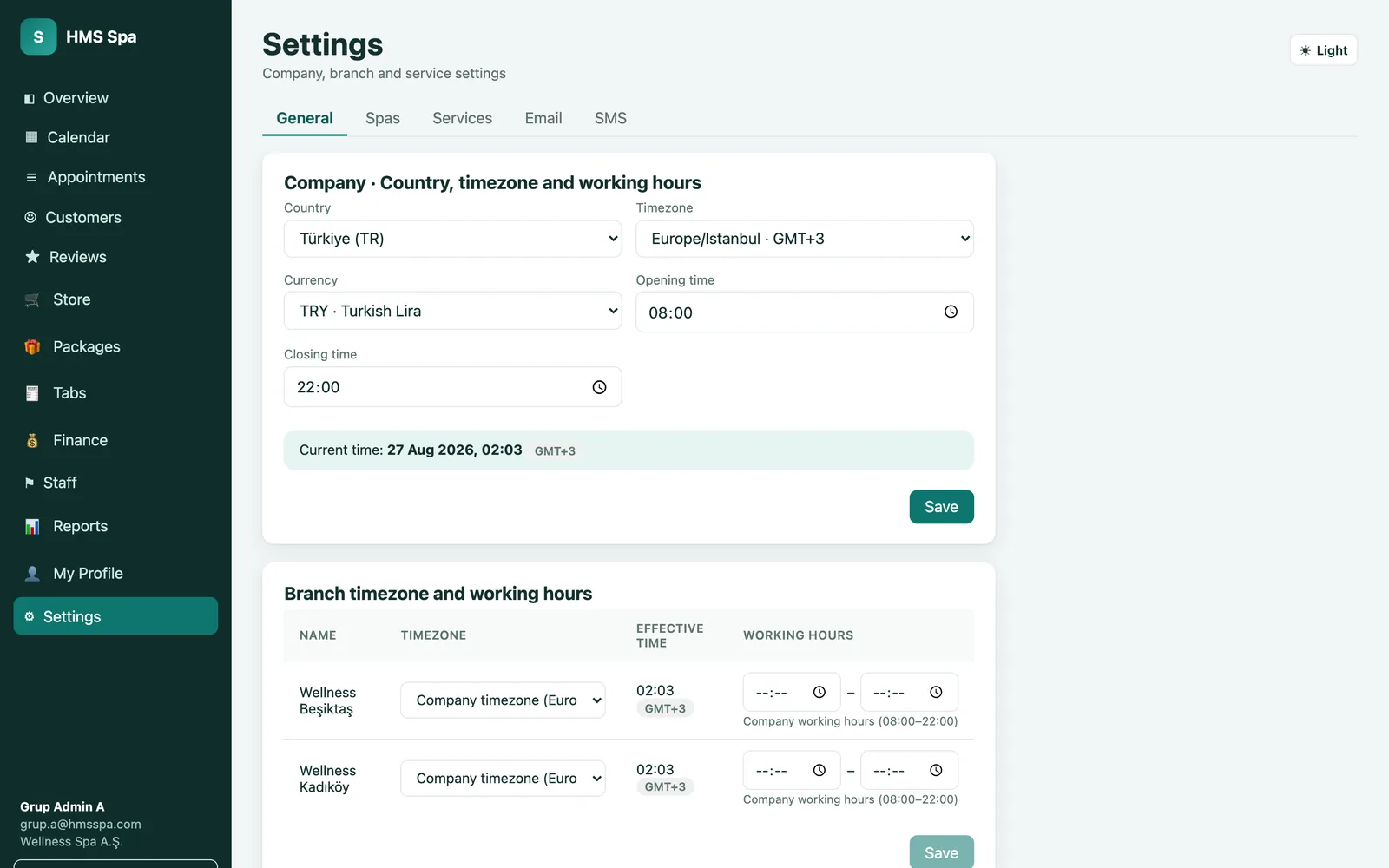
  • HMS Spa web panel — Settings
    Settings Company details: country, time zone, currency and working hours. Branches are defined with their own time zone and working hours; services, e-mail and SMS settings are on separate tabs.

Runs in the browser, nothing to install · 20 languages

The mobile app is simplified for use on the floor and on the go: the bottom bar holds the dashboard, appointments, customers and sales; the other modules sit under a single menu. The phone camera works as a barcode scanner; an appointment or a sale is completed in a few taps.

  • HMS Spa mobile app — Dashboard
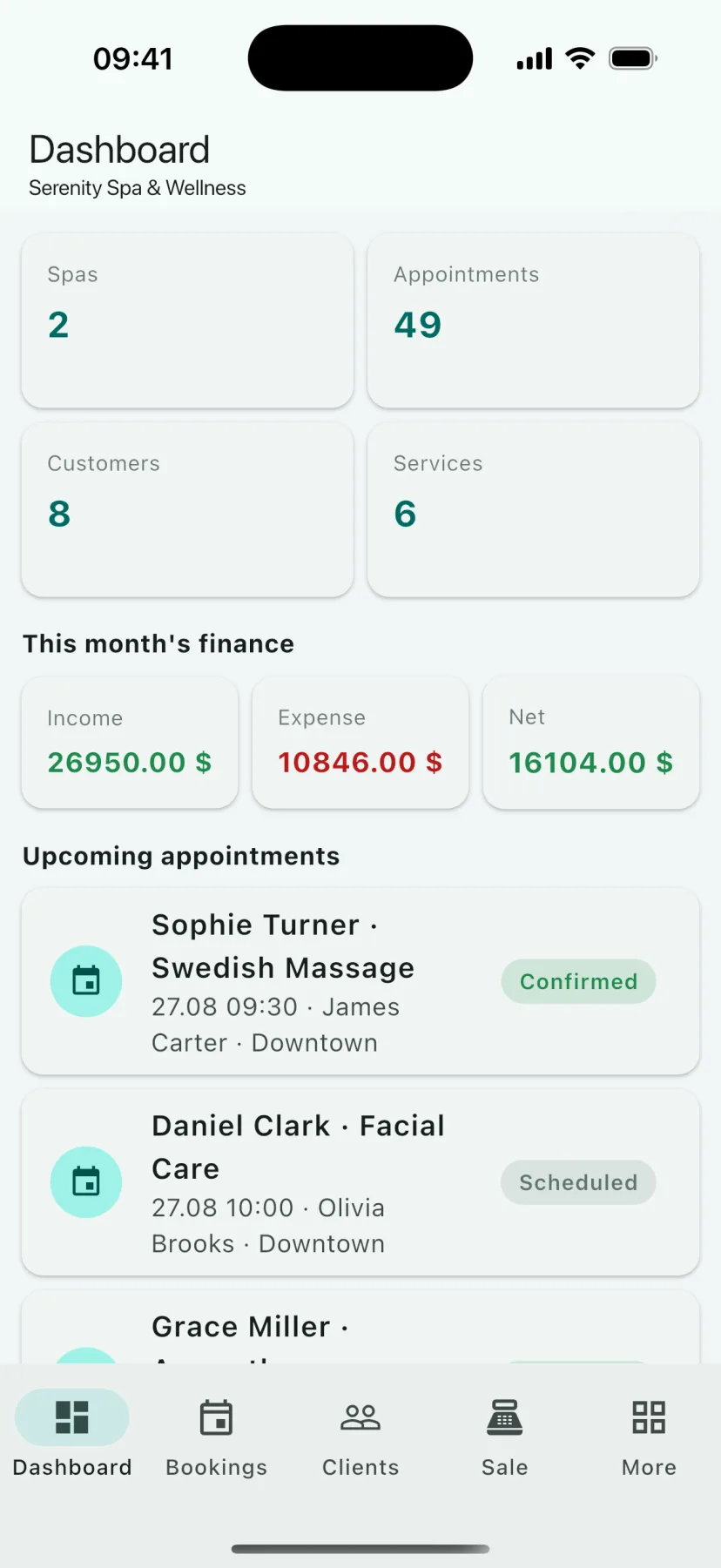
    Dashboard The app's home screen. It lists the number of branches, appointments, customers and services, this month's income, expense and net summary, and the upcoming appointments with therapist and branch. The owner follows the day from here while away.
  • HMS Spa mobile app — Appointment calendar
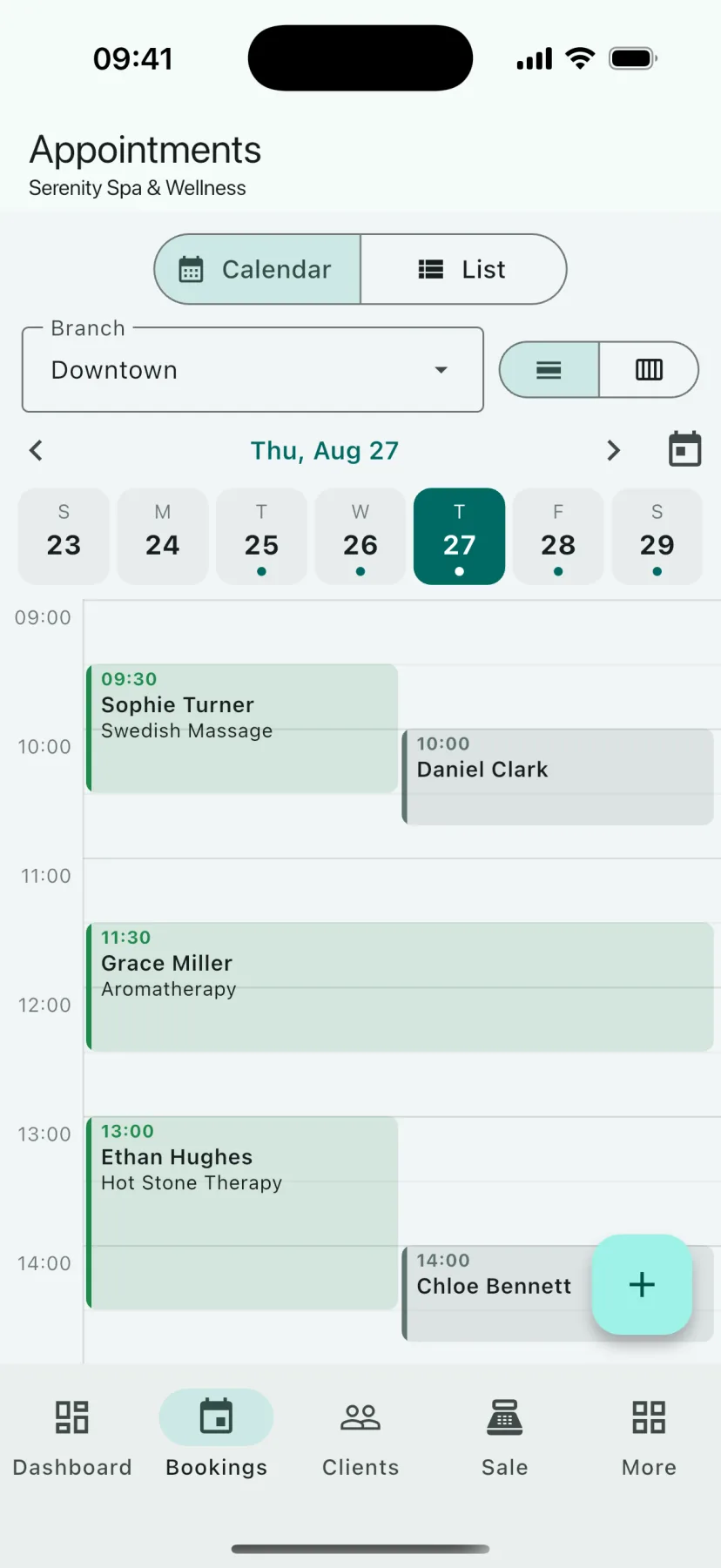
    Appointment calendar Appointments in a daily calendar or list view. Choose the branch, move between the days of the week; each appointment shows its time, customer and service. The plus button at the bottom right adds a new appointment.
  • HMS Spa mobile app — Customers
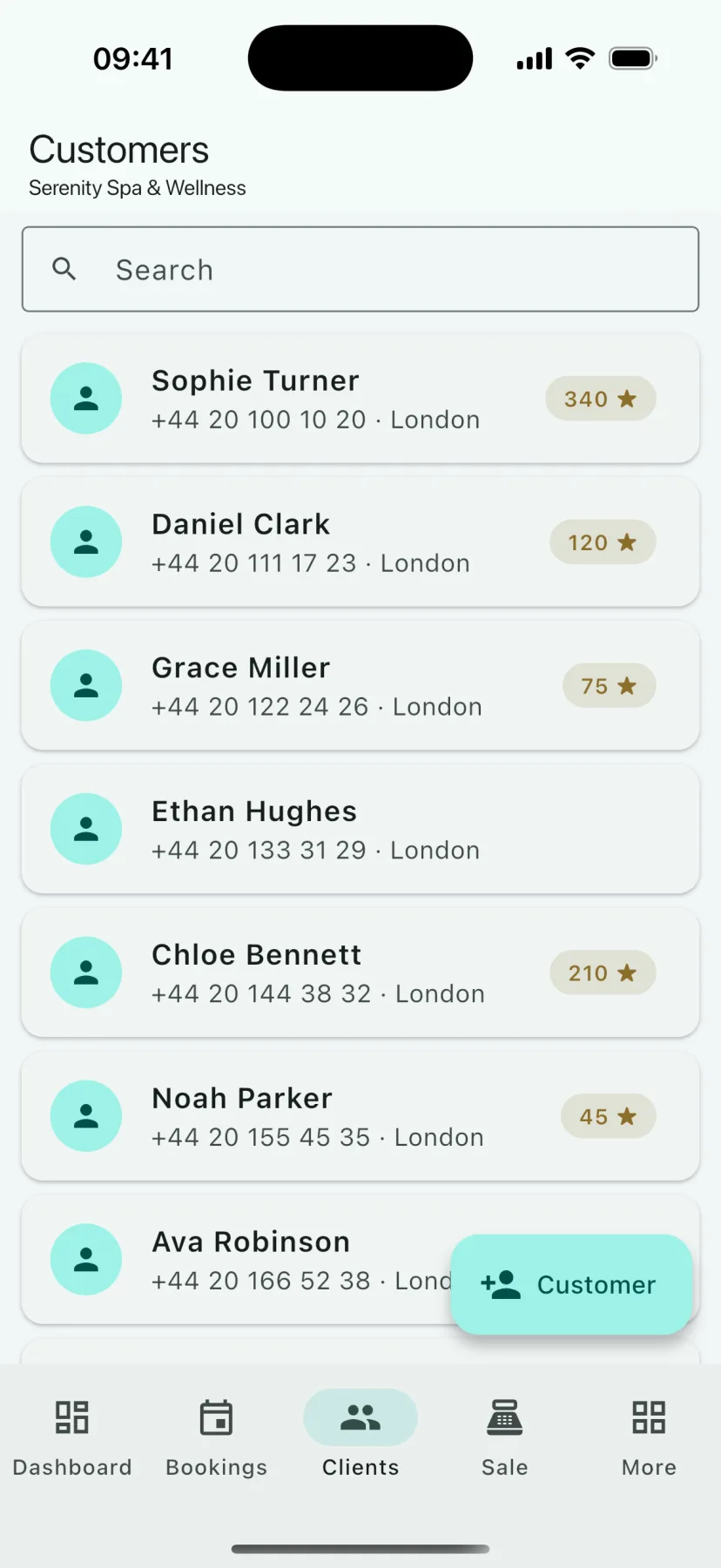
    Customers A customer list searchable by name, phone and city. Each row shows the customer's loyalty-point balance; a new customer is added with one tap and tapping a row opens the card.
  • HMS Spa mobile app — Customer card
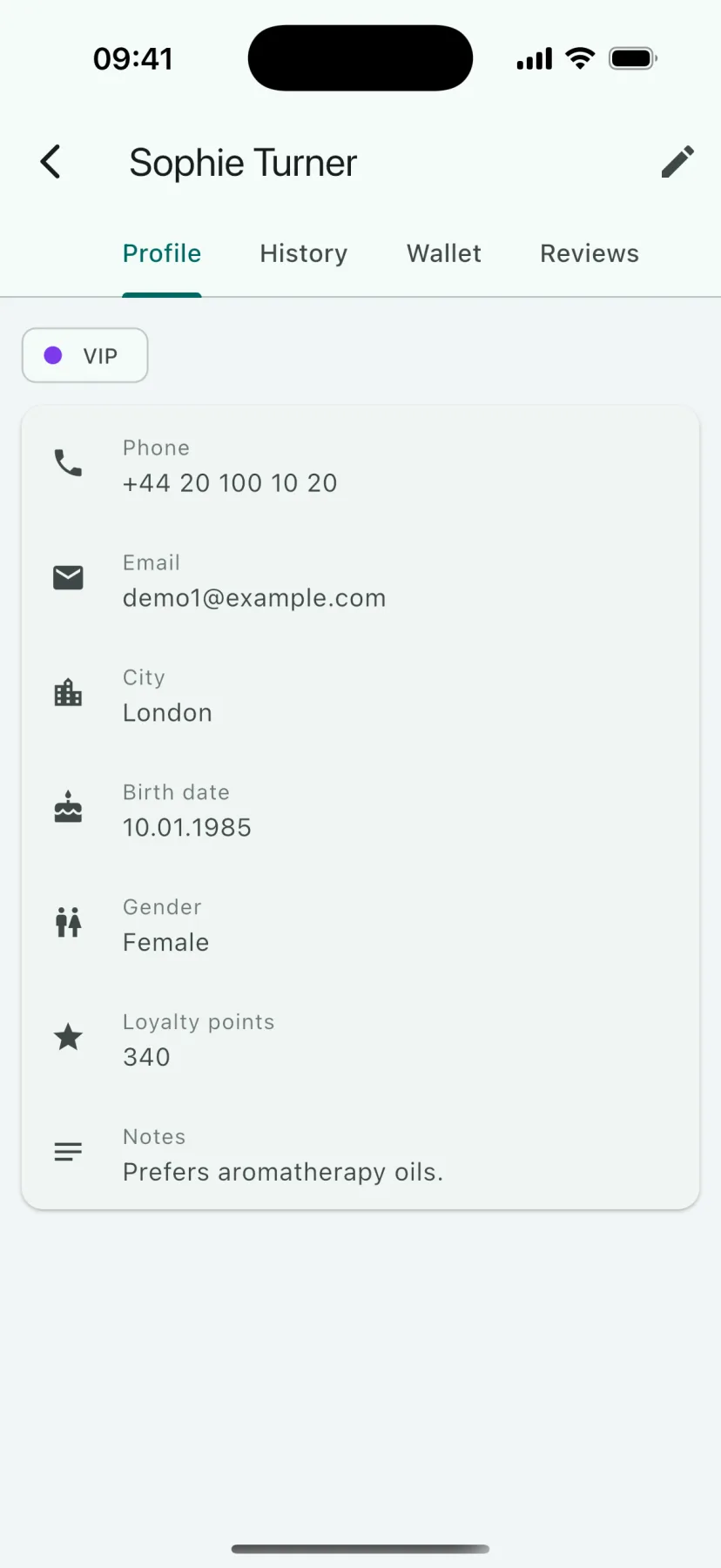
    Customer card A single guest's profile: phone, e-mail, city, date of birth, tags (VIP, for example), loyalty points and notes. The History, Wallet and Reviews tabs sit inside the same card; at reception you recognise the guest without looking at paper.
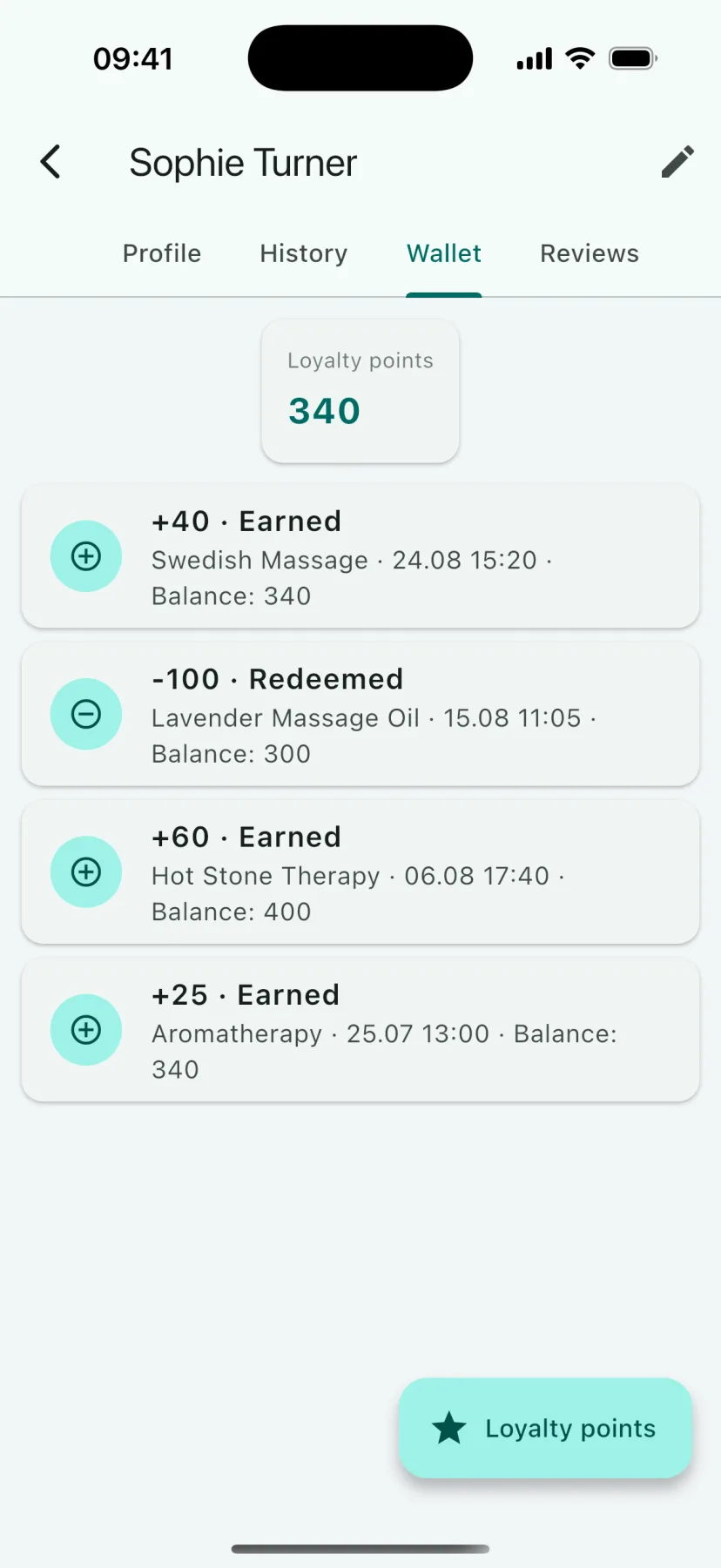
  • HMS Spa mobile app — Loyalty wallet
    Loyalty wallet The customer's loyalty-point movements: how many points were earned from which service, which product they were spent on, and the balance after each transaction. Adding and spending points is done from the same screen.
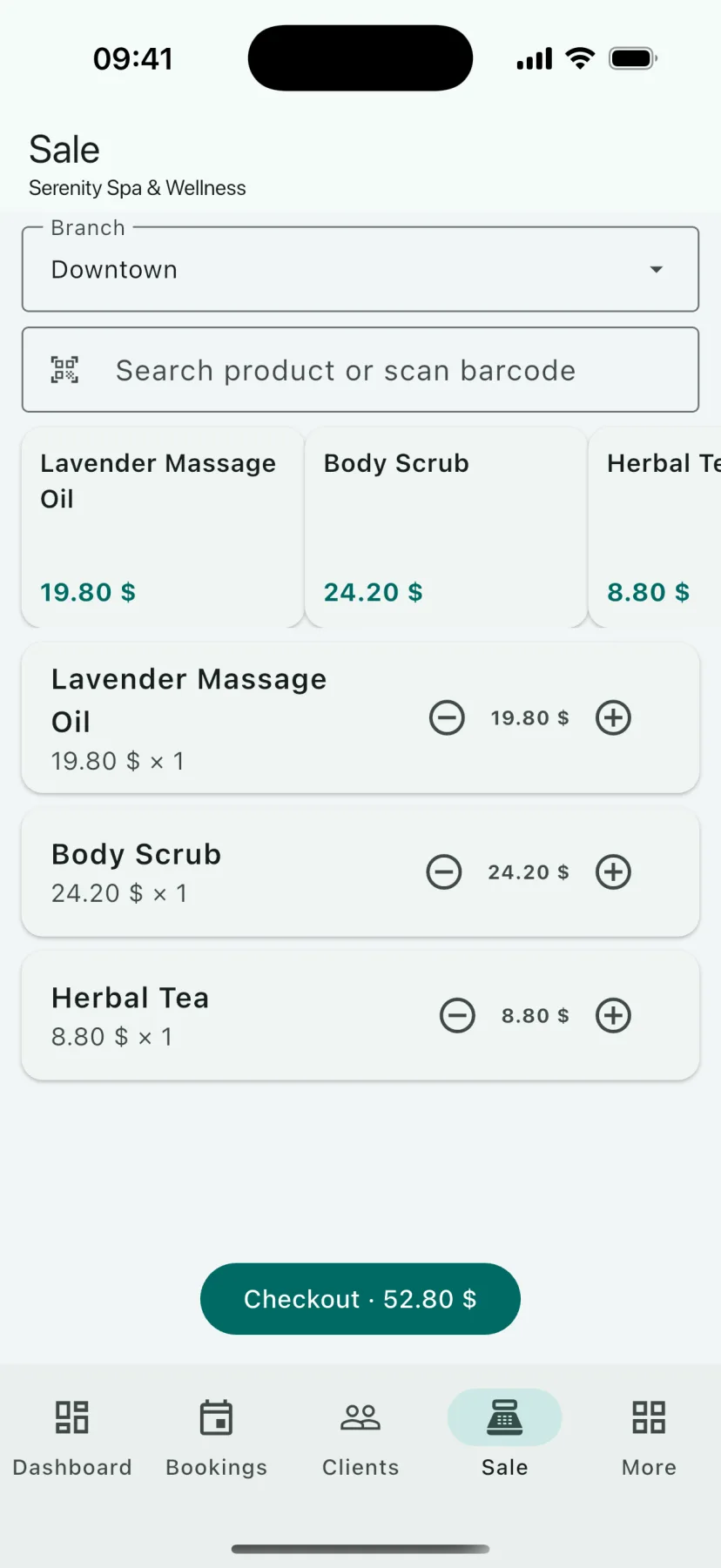
  • HMS Spa mobile app — Sales (POS)
    Sales (POS) The mobile sales screen. Choose the branch, search for a product or scan its barcode with the phone camera; quantities in the basket are adjusted with plus and minus and the sale is completed with the total. Stock decreases instantly.
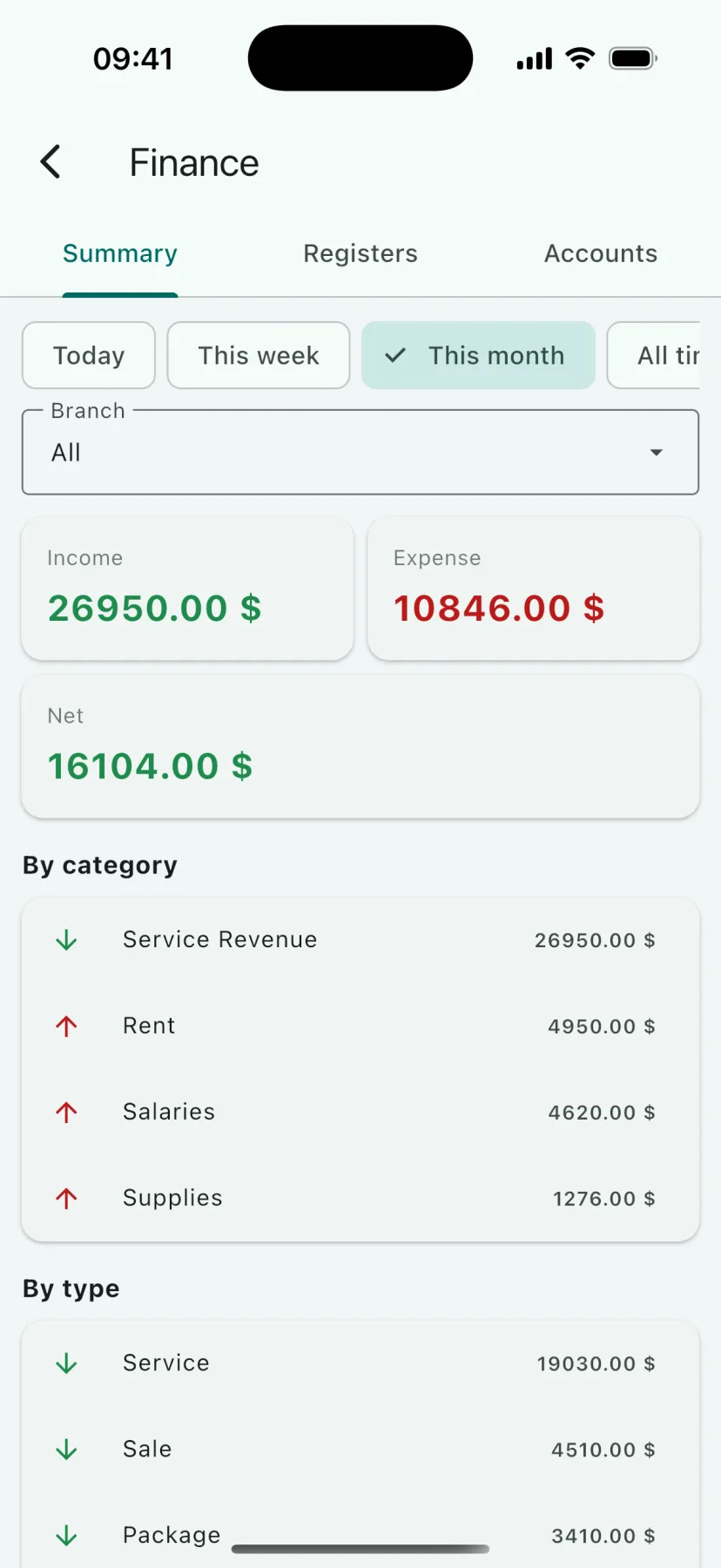
  • HMS Spa mobile app — Finance
    Finance Income, expenses and net for today, this week, this month or all time; the breakdown by category (rent, salaries, materials) and by type (service, sales, package). The Registers and Accounts tabs are on the same screen.
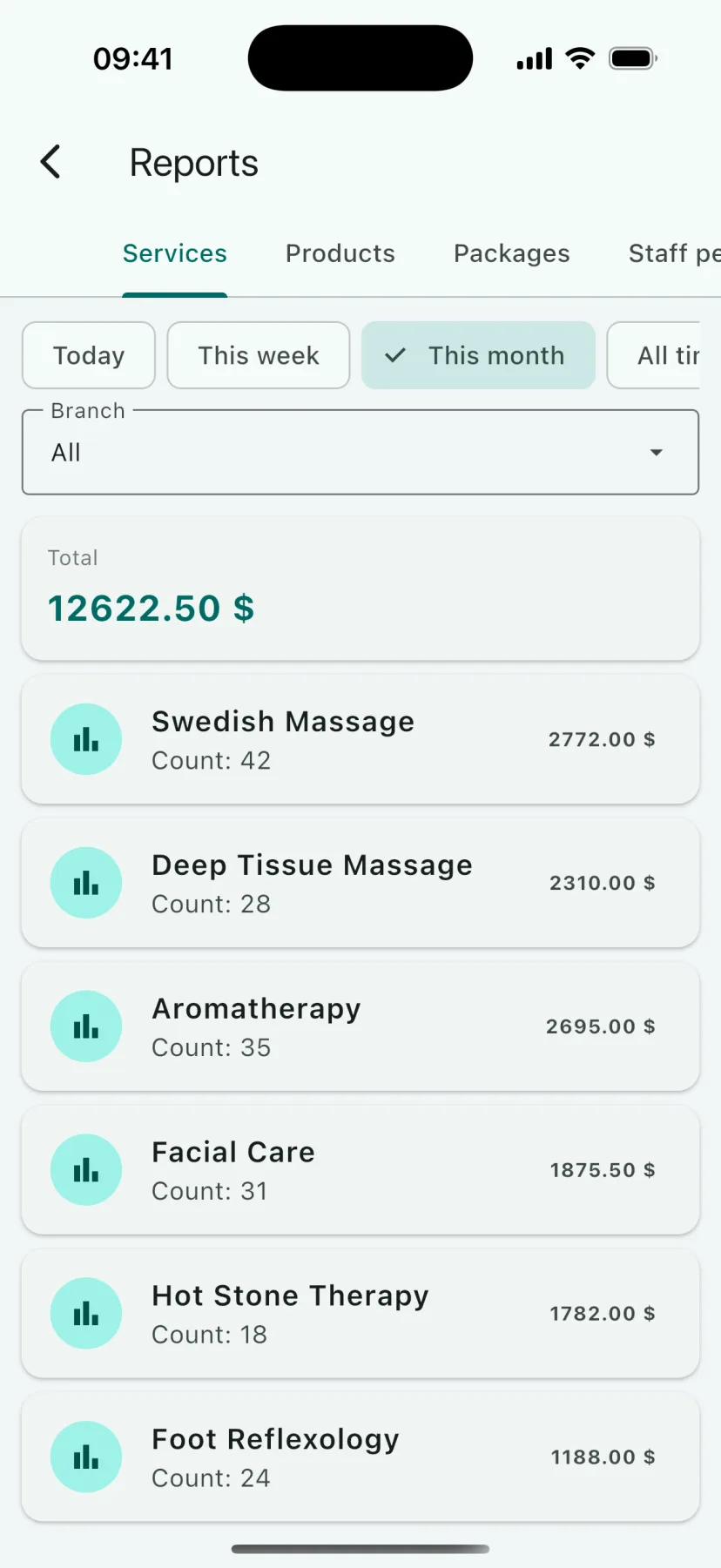
  • HMS Spa mobile app — Reports
    Reports Service, product, package and staff reports on the phone. Choose the period and branch; each service is listed with its count and revenue, together with the total. You see which service earns what without waiting for month end.
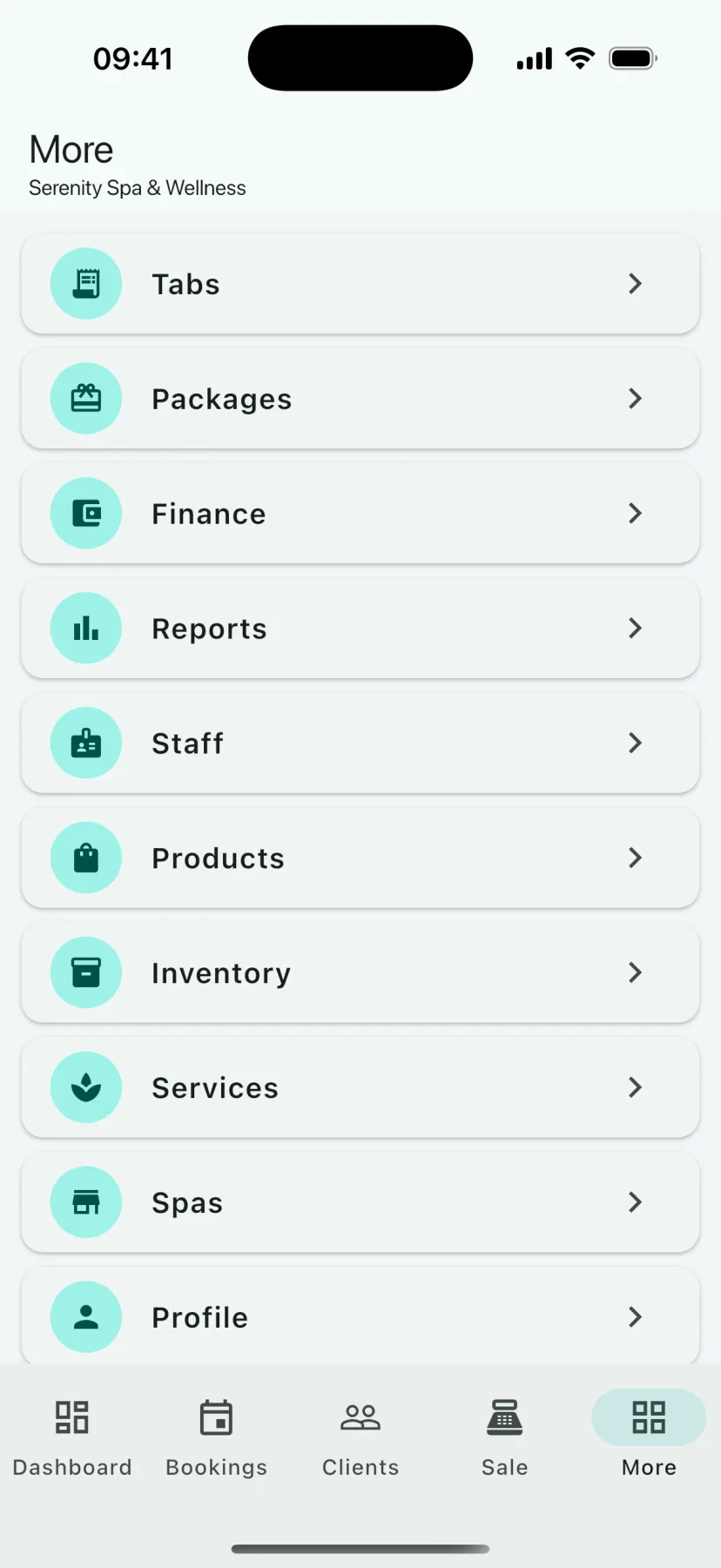
  • HMS Spa mobile app — Modules
    Modules The More menu: tabs, packages, finance, reports, staff, products, stock, services, branches and profile. Every module of the web panel is also reachable in the mobile app with the same account.

iOS and Android · 20 languages

Between the screens

The journey of one appointment

Calendar → Appointments

An appointment opened by clicking an empty slot appears in the Appointments list with customer, service, staff, room, price and the amount paid/outstanding. The status is updated with values such as planned or confirmed.

Customers → Customer card

The card of the guest on the appointment opens: tags, loyalty points, past sessions and notes. If there is a package, the session is deducted here; the remaining session count updates instantly.

Tab → Store

The service is posted to the tab; a product sold by barcode goes onto the same tab and comes off stock. The tab is closed by cash, card or bank transfer and the receipt is printed.

Finance → Reports

The payment is posted to the register and expenses to their category; at the end of the day the income, expense and net summary and the service, product, package and staff reports are ready.

Frequently asked

About the screens

Are the images from the real product?

Yes. The screens are taken from the current version of HMS Spa using a sample business account. Customer names, amounts and appointments are fictional sample data.

Does the interface work in my language?

Yes. The panel and the mobile app are available in all 20 languages on this site; you are seeing the screenshots in the language you are visiting in. The language is chosen on the sign-in screen.

Can I try the screens with my own data?

Yes. All screens are open in the 14-day trial account; you enter your service list and your customers and test the real flow. No credit card is required.

Does the web panel also work on tablet and phone?

Yes. The web panel opens in the browser on tablets and phones too; the mobile app offers screens simplified for speed on the floor. Both work with the same account and the same data.

Are the screenshots up to date?

Yes. The images are taken from the current version of the product and refreshed as the interface changes. Values such as dates, amounts and names are the fictional data of a sample business; they do not belong to a real customer.

Test it with your own data

Let’s open your 14-day trial account today and set up your treatment list together.